A CRM form helps you collect information from customers. Potential clients can enter contact details, place an order, or sign up for a service. Create a CRM form with your own design and add it to your website to attract customers. Form data is saved in CRM.
CRM forms are usually used to:
- Collect customer contact details, such as names, phone numbers, and email addresses. This data is saved in CRM, so employees can contact the customer and send a product or service offer.
- Collect customer feedback about a product, service, or other topic.
- Add a callback option to your website. Visitors leave their phone number so you can contact them.
- Let customers register for services online. Customers can book services and select a time and specialist in the form fields.
- Sell products. Customers can select products in the form, place an order, and pay right away.
- Run ads on social media. Customers fill out their details, and the data appears in Bitrix24 automatically.
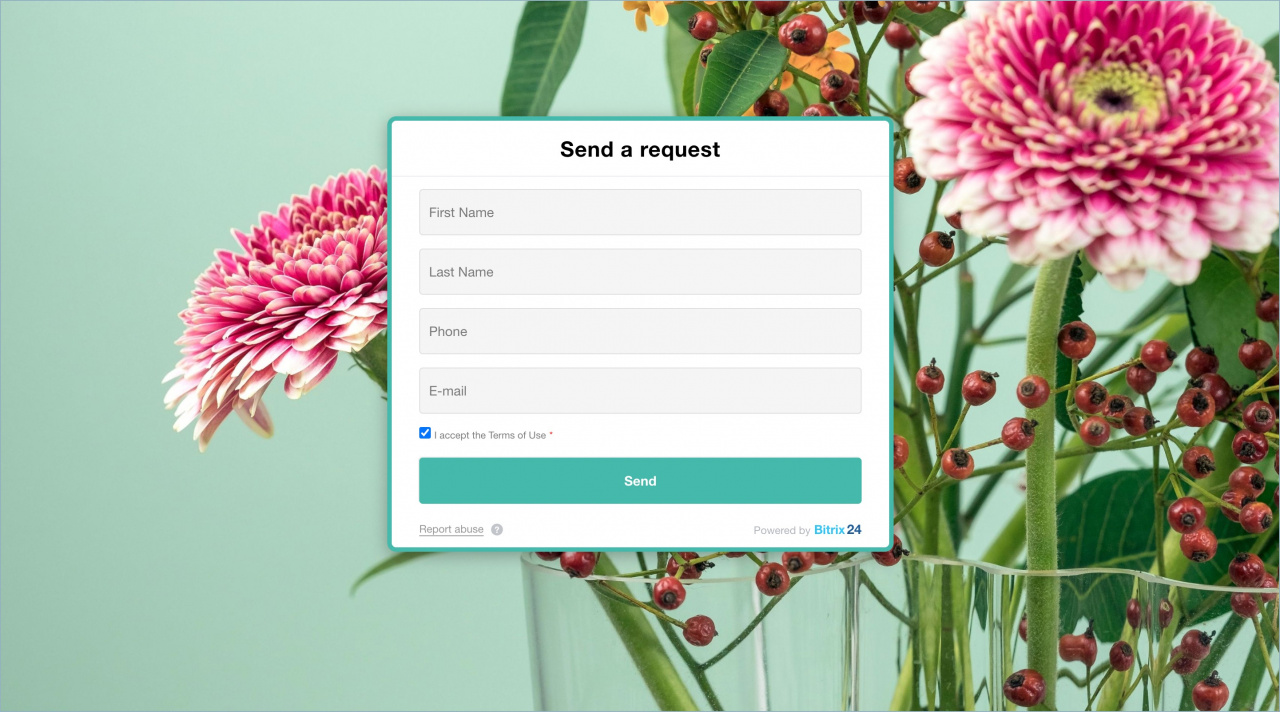
How it works
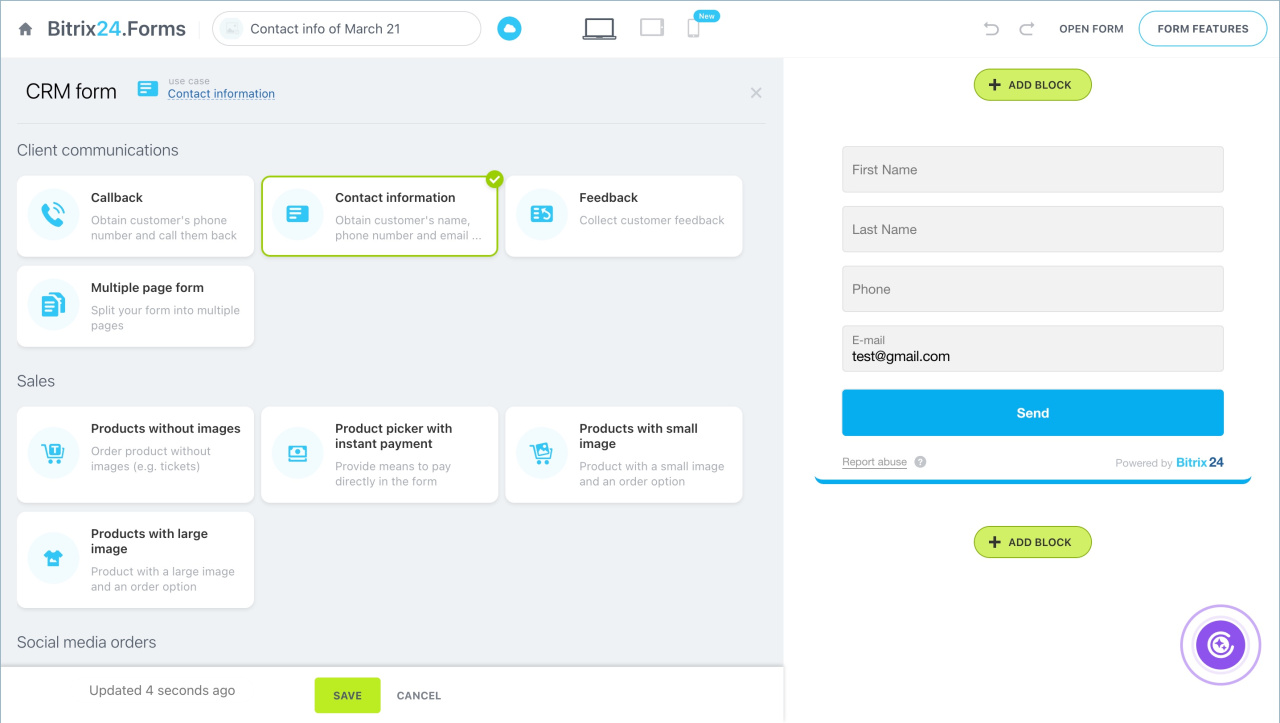
Create a CRM form and select a use case.
Set up the CRM form design.
CRM form design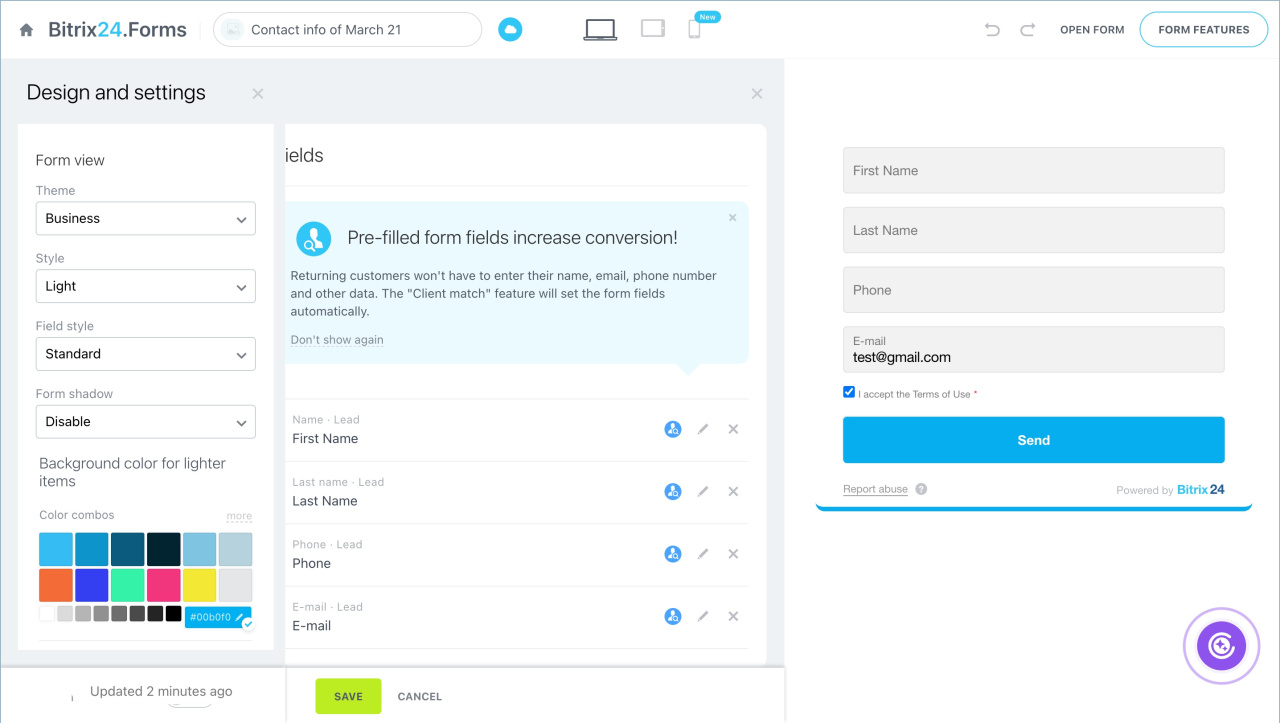
Add the CRM form to a Bitrix24 site as a page block or popup.
Place CRM form on Bitrix24 website
You can create different CRM forms for different tasks.
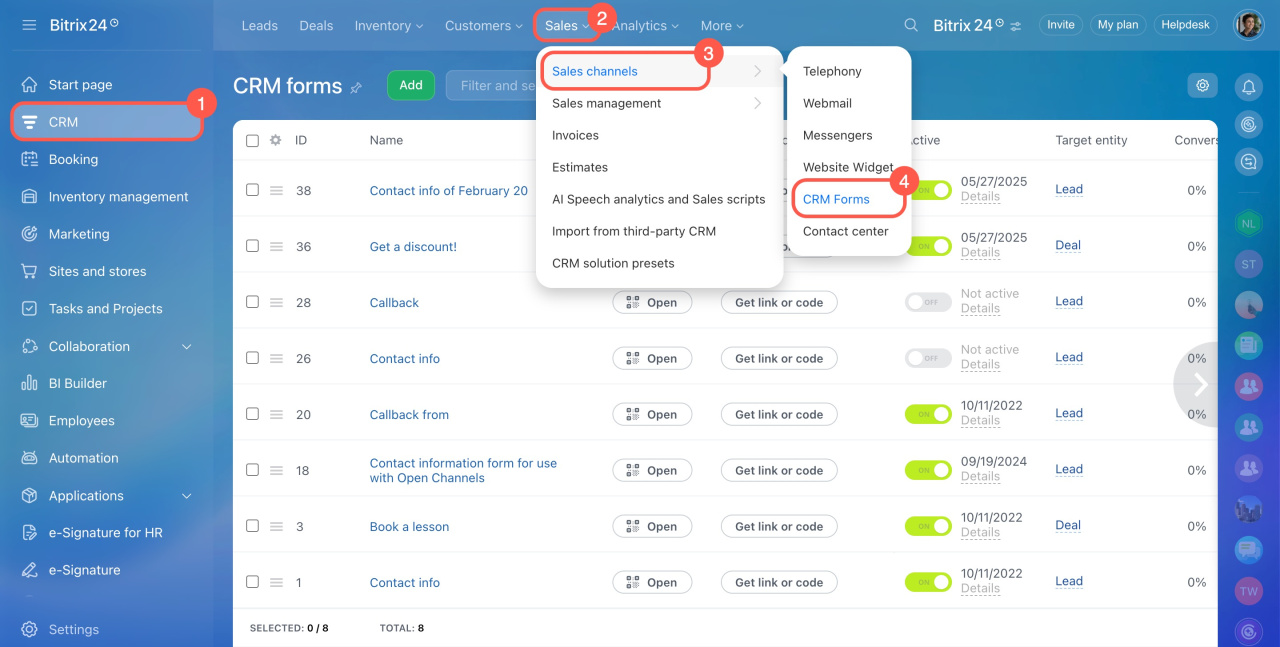
To view all created forms, go to CRM > Sales > Sales channels > CRM forms.