
Bitrix24 CRM prompts users to create smart activities when they close a deal or lead. The activity form is pre-filled by default. The deadline is automatically set to three business days. If the record already has at least one incoming or planned activity, CRM will not suggest a new one.
CRM Activities
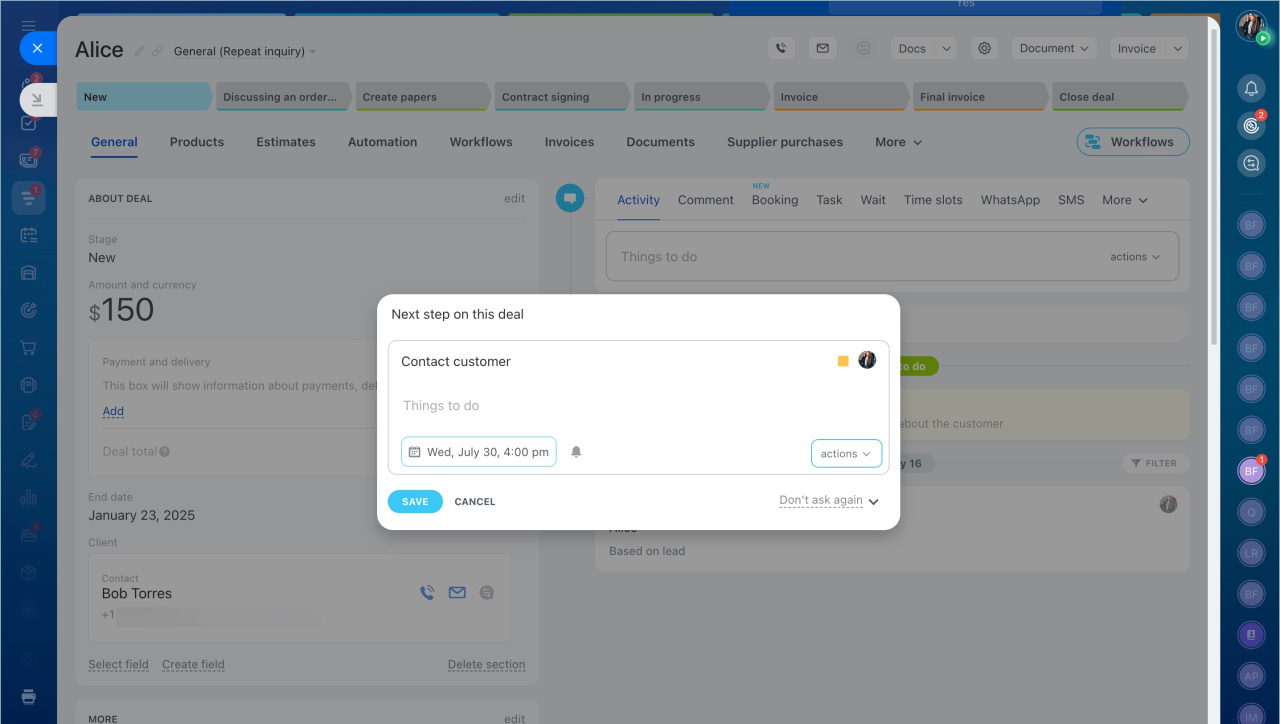
Smart activities help teams stay on schedule. Use them to remind employees to call customers, send documents, or follow up on agreements.
If you close a deal without any activities, the deal eventually moves to the bottom of the Kanban board. Smart activities help keep deals active by sending reminders and moving deals back to the top.
Focus mode
Notification center: How to get activity reminders
Customize the activity creation form
The activity form already includes:
- The text Contact Client
- A deadline
- A responsible person
You can change any of these fields.
- Text: Enter any activity name, for example, Send documents for approval.
- Deadline: The system automatically sets the deadline to three business days from the creation date.
- Responsible person: By default, the employee who creates the activity becomes the responsible person. You can assign another employee if needed.
- File: Attach a document or image to the activity.
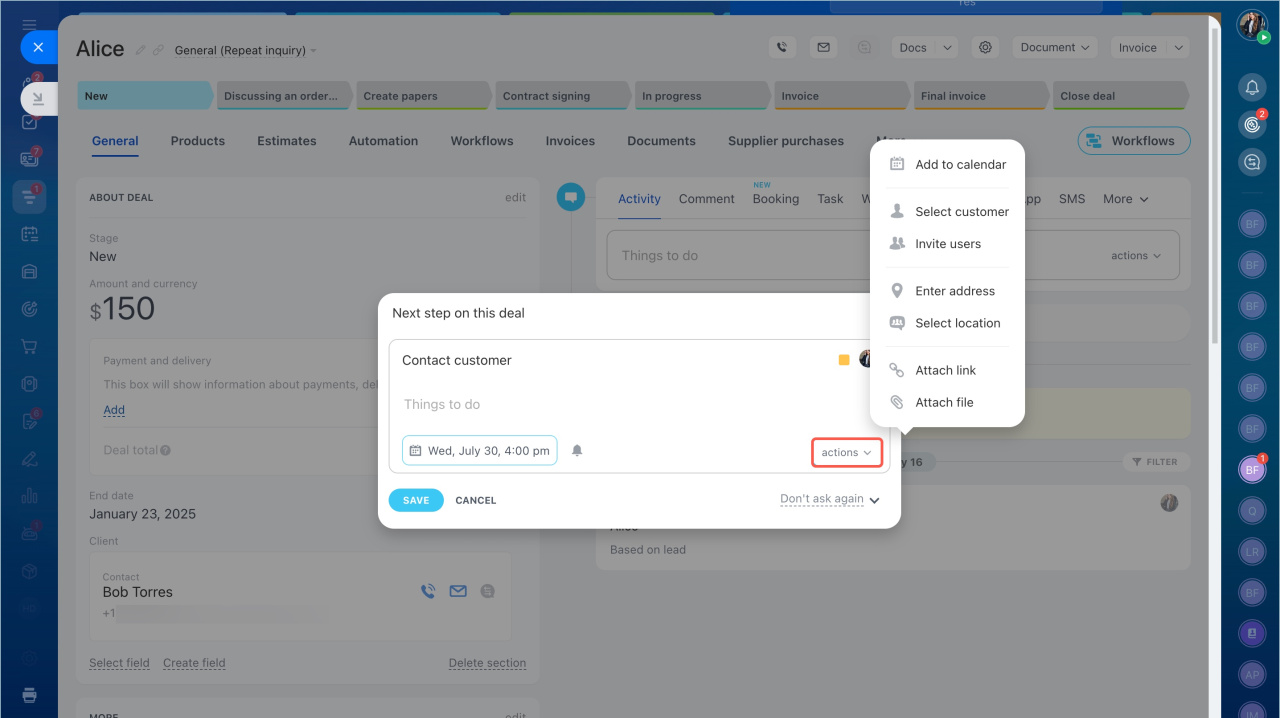
Click Save to add the activity to the deal timeline. To close the form without creating the activity, cancel the action.
Enable or disable smart activities
Smart activities are enabled by default. You can disable them in two ways.
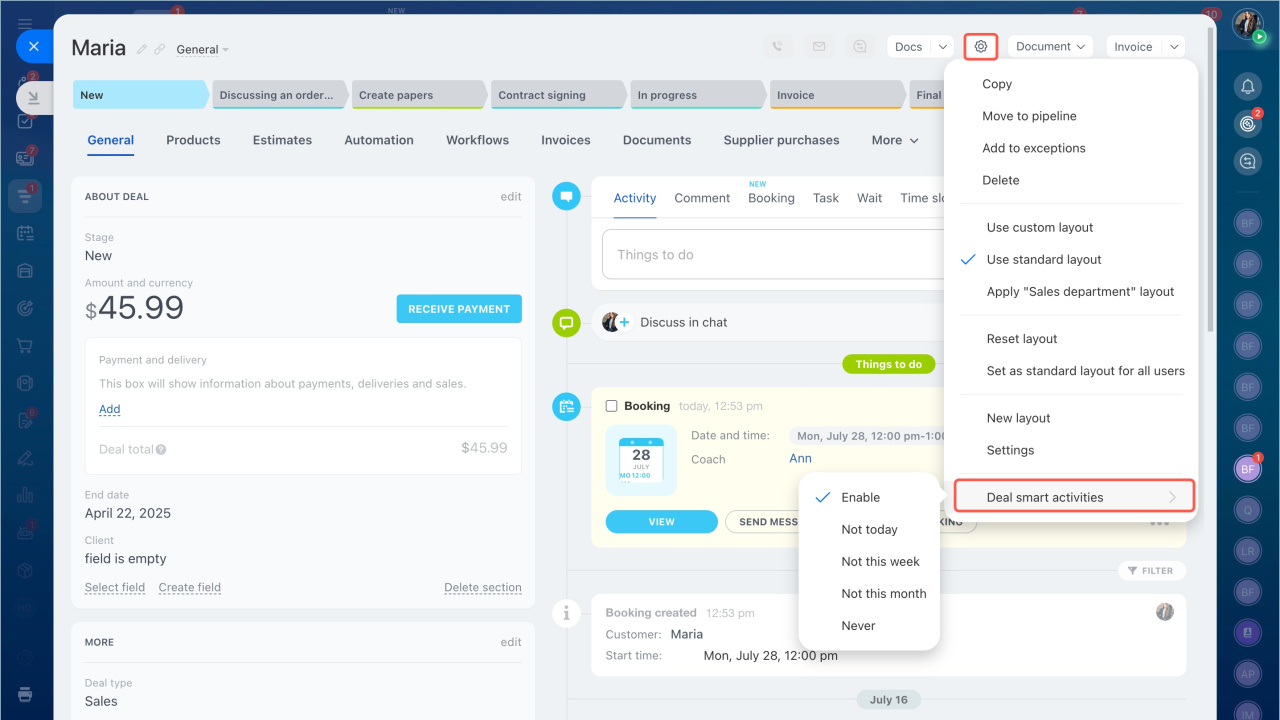
In the deal or lead form
- Open a deal or lead.
- Click the settings icon.
- Select Deal smart activities.
- Choose an option.
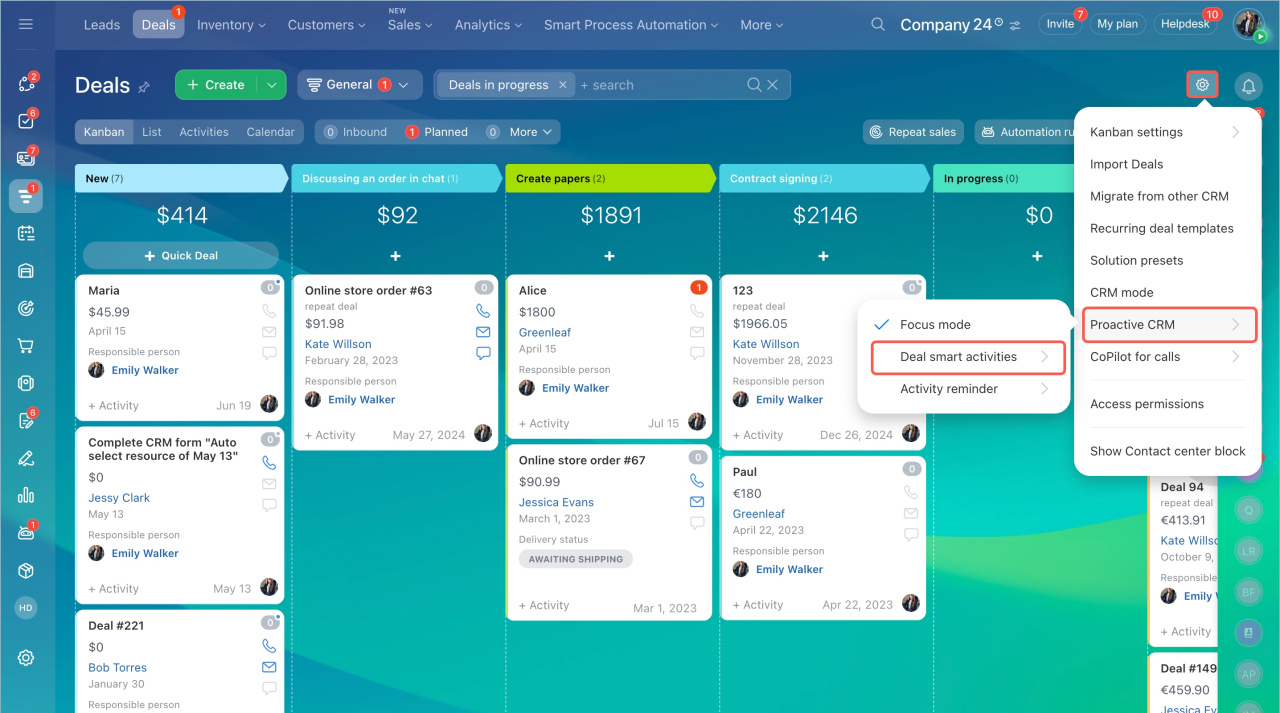
In the Leads and Deals sections
- Open Settings.
- Select Smart activities.
- Choose an option.
In brief
- Bitrix24 CRM prompts users to create smart activities when they close a deal or lead.
- The activity form is pre-filled by default, and the deadline is set to three business days.
- Smart activities help teams follow up on time and keep deals active in the Kanban board.
- Smart activities are enabled by default and can be disabled in entity settings or in the Leads and Deals sections.