Cookies are small pieces of data that a website stores on a user’s device. A web server sends this data to the browser during a visit.
Cookies can store different types of information, such as language settings, login details, or content preferences (for example, YouTube recommendations). This helps make the browsing experience smoother and more personalized.
Each country has its own data privacy laws. If a website collects cookies without user consent, the site owner may face penalties. For this reason, you should clearly inform visitors about what data you collect through cookies.
How it works
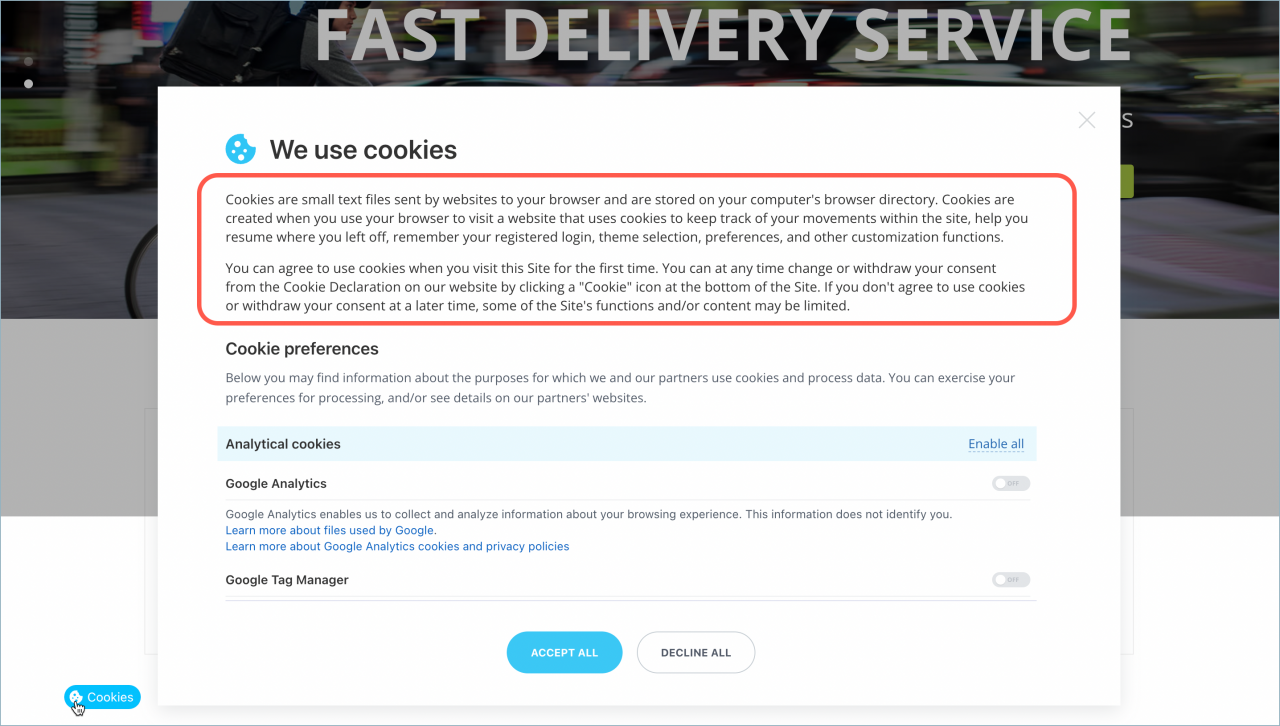
Websites built in Bitrix24 Sites allow visitors to manage cookies. On the first visit, a cookie consent banner appears at the bottom of the page.
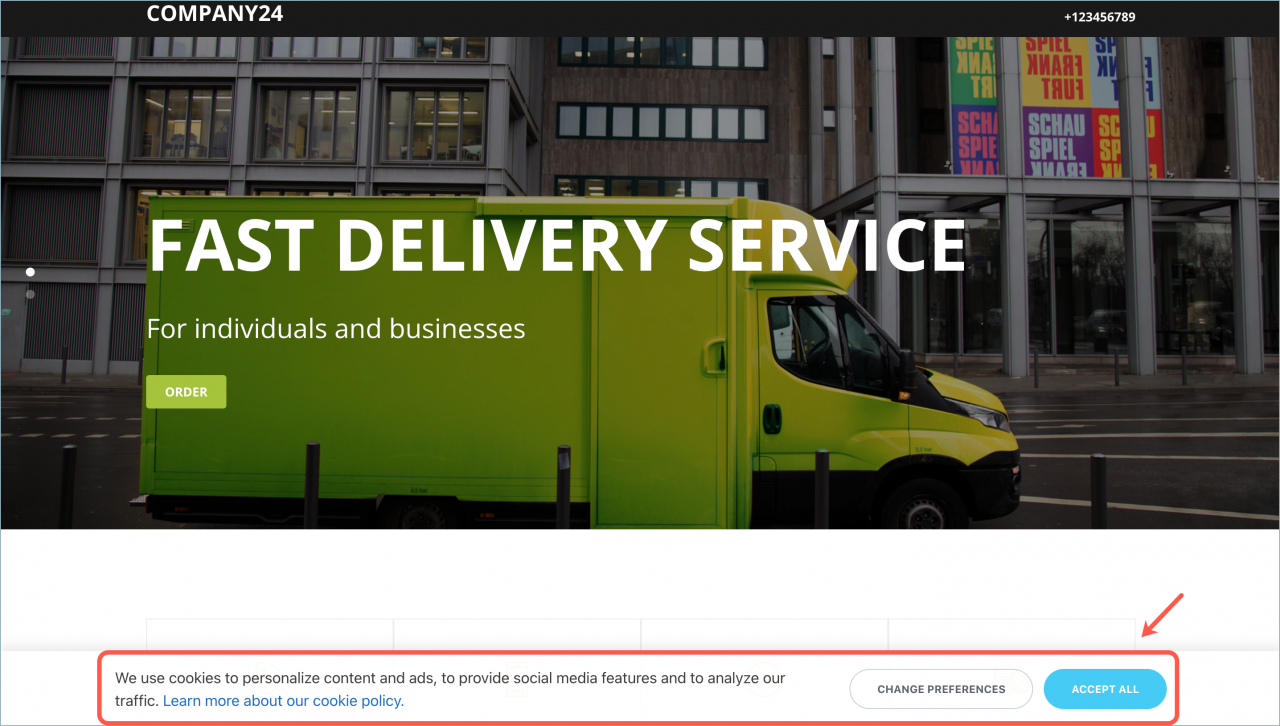
Visitors can:
- Accept all cookies
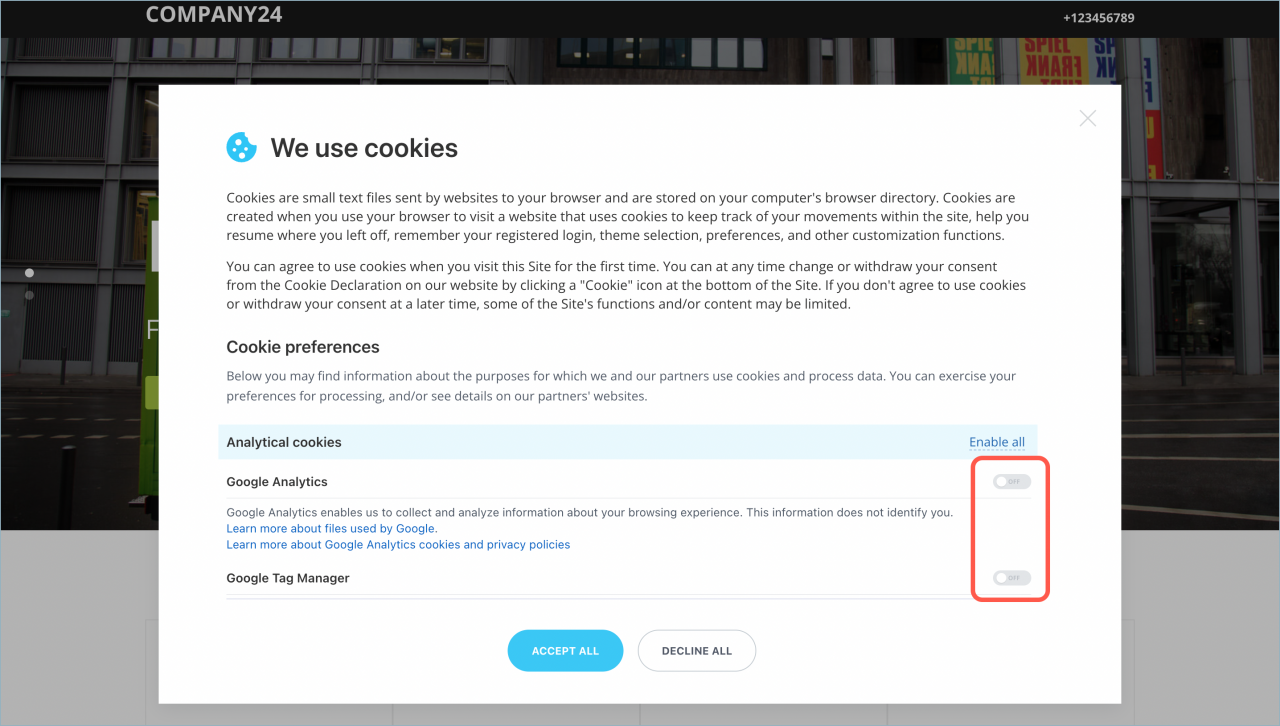
- Change preferences and allow or block specific cookie types
After making a selection, the visitor clicks Save and accept.
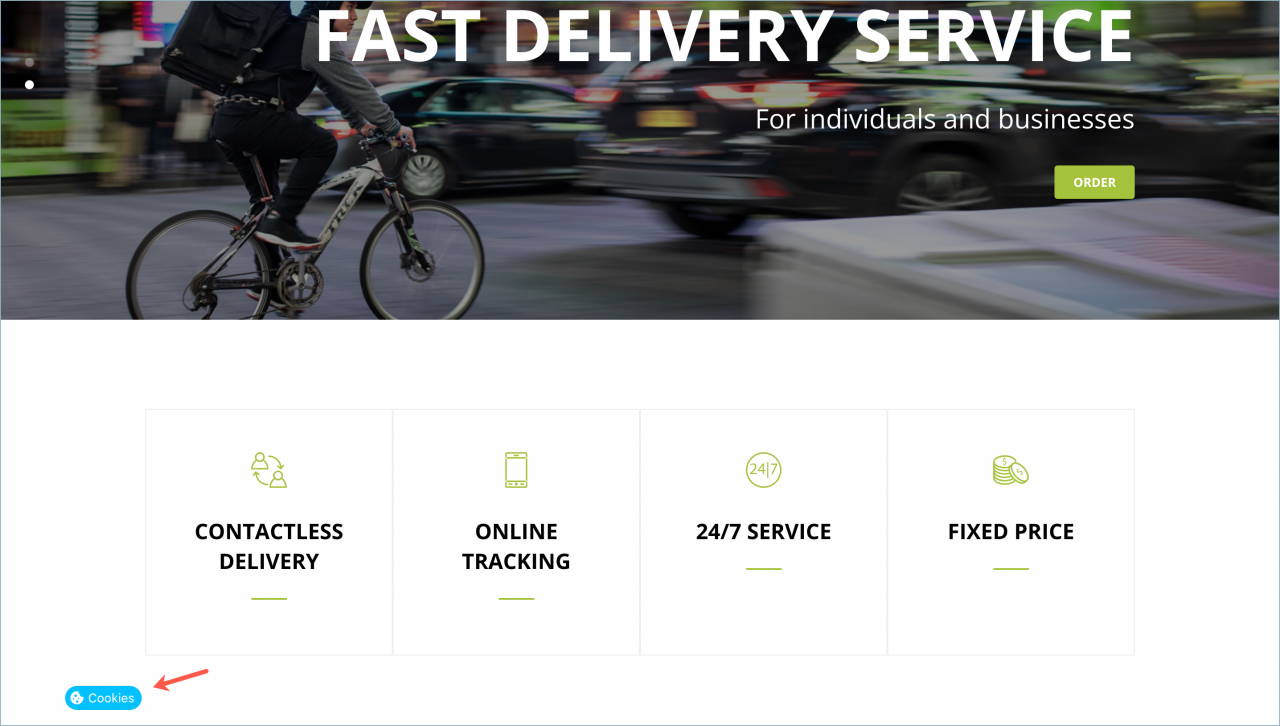
Visitors can update their preferences at any time by clicking the Cookies link at the bottom of the page.
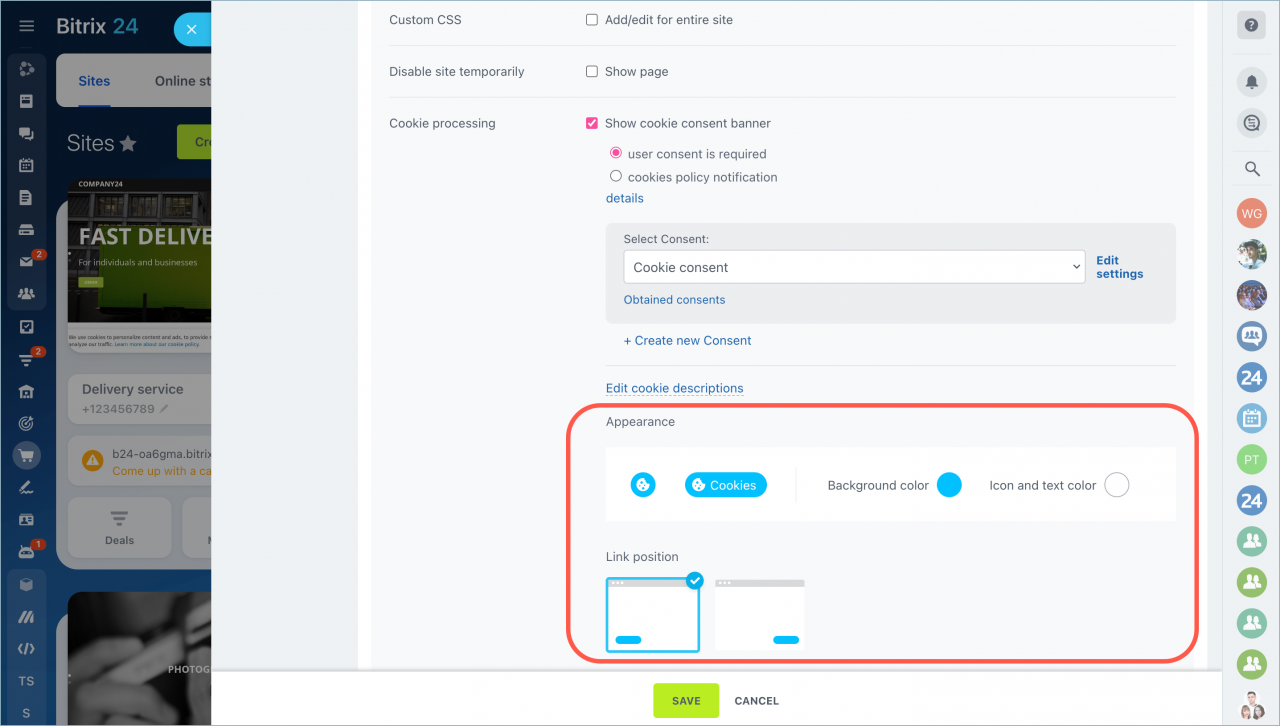
Enable the cookie consent banner
- Go to the Sites section.
- Select a website.
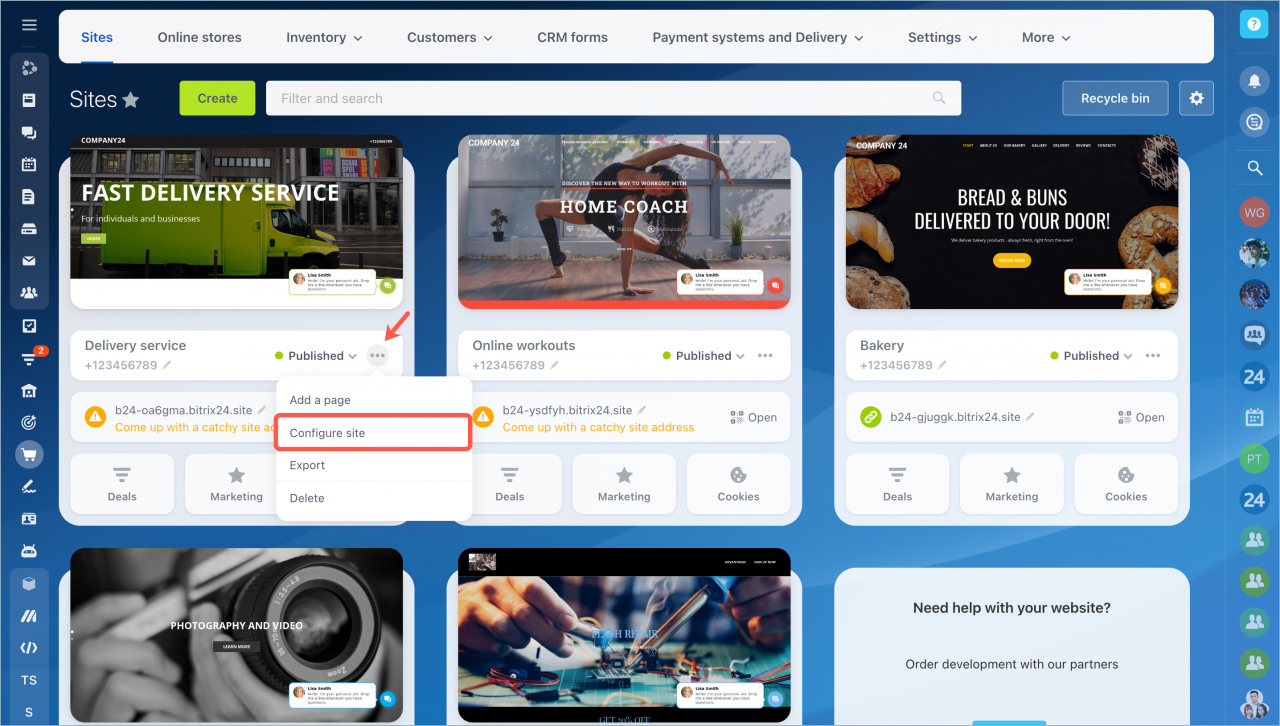
- Click Actions → Configure site.
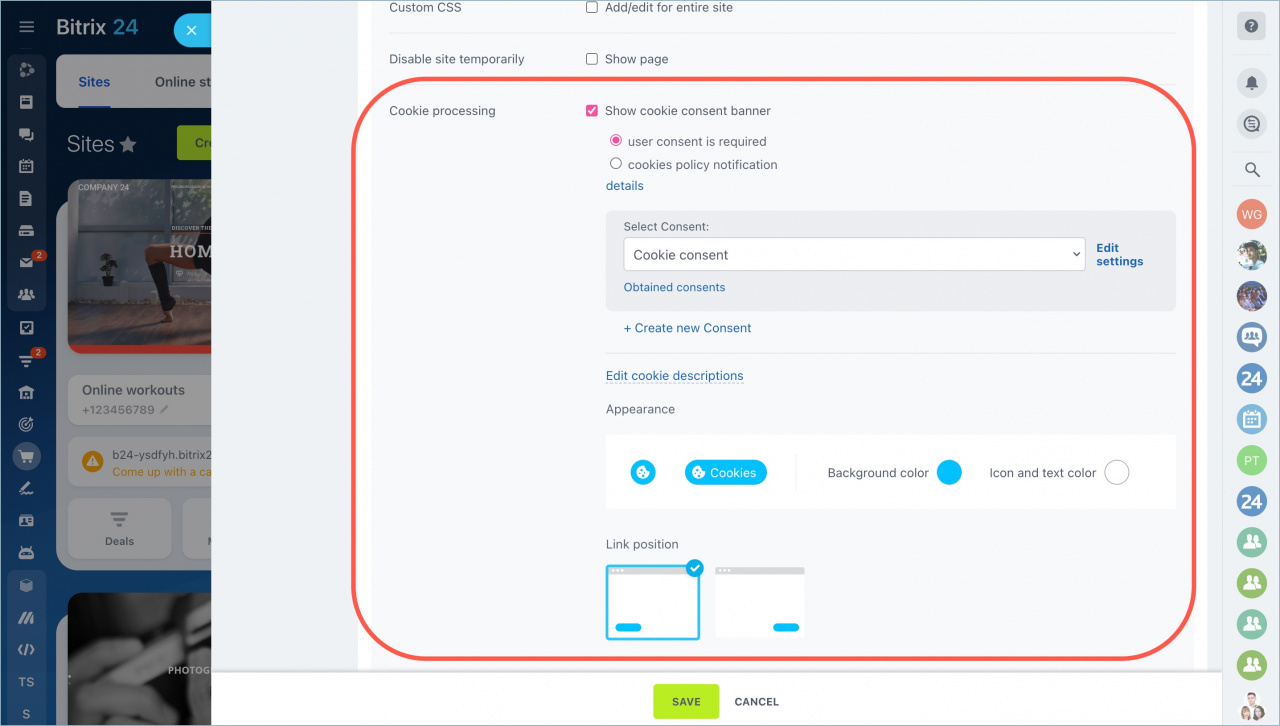
- Scroll down and open the More section.
- Turn on Show cookie consent banner in the Cookie processing section.
Configure the cookie consent
User agreement
Edit the text shown to visitors in the consent banner.
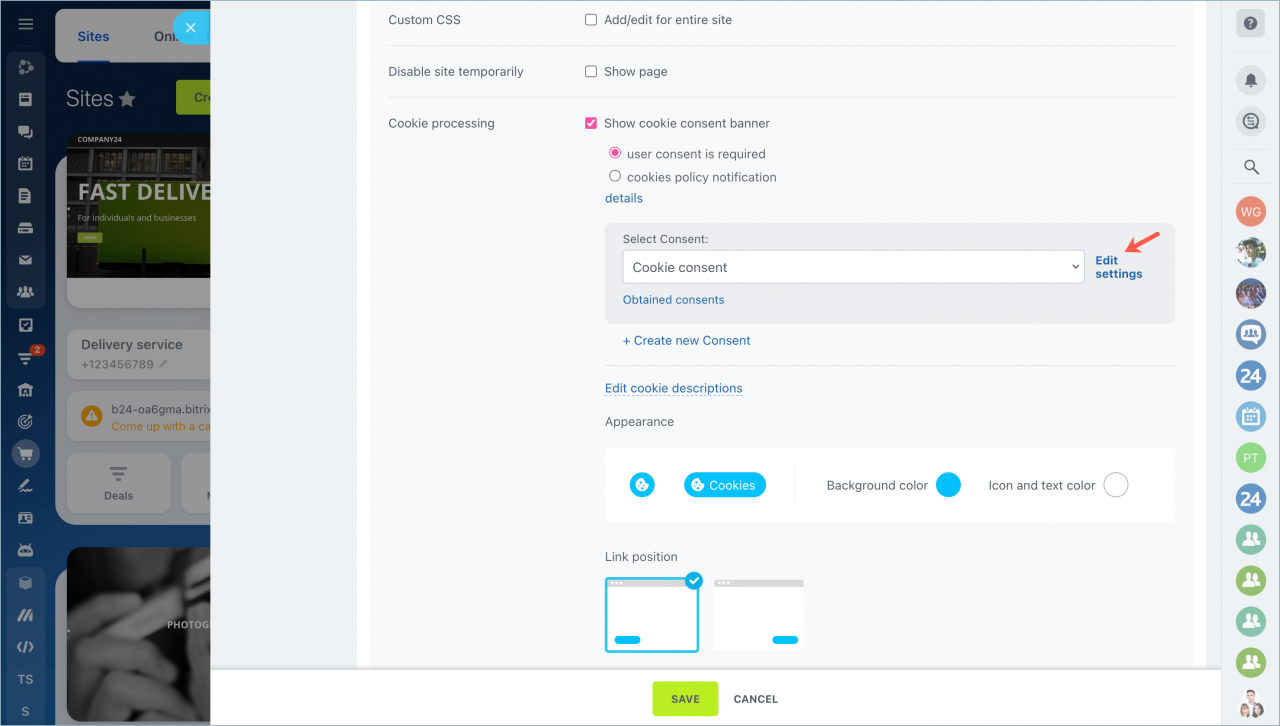
Click Edit settings next to the consent selection list to update the configuration.
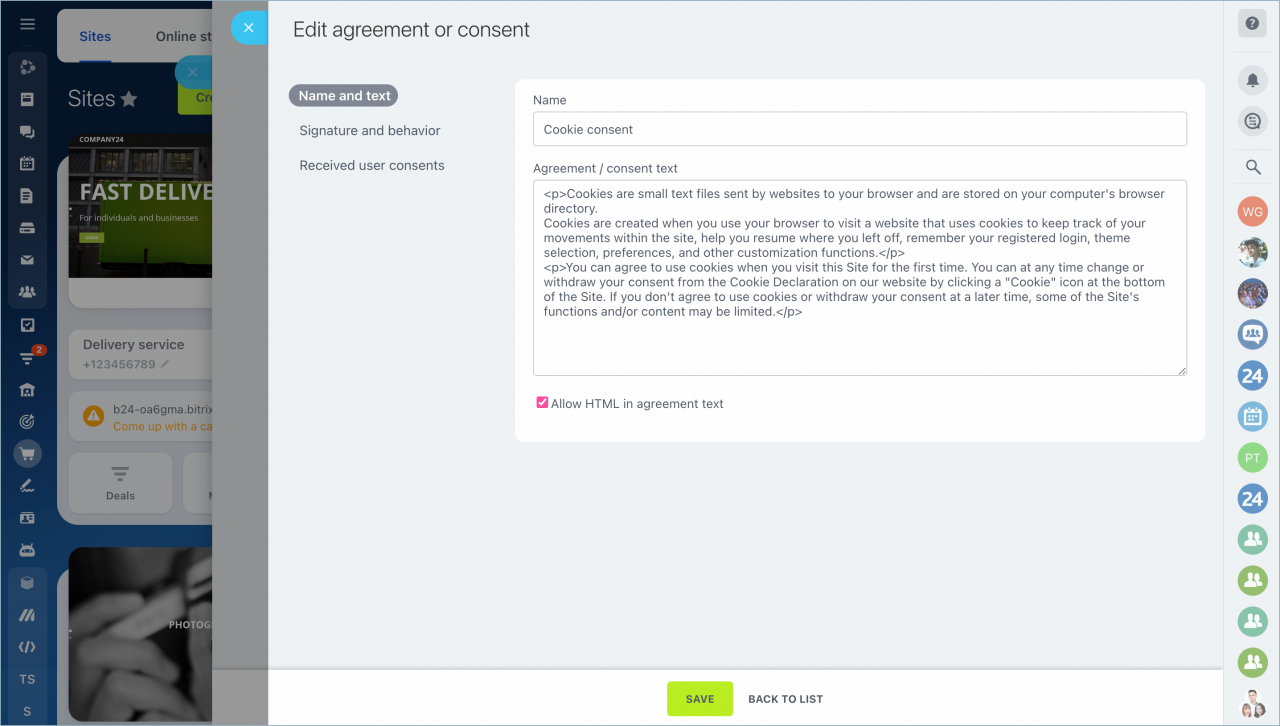
Checkbox and behavior
Update the initial notification text and behavior settings.
Click Edit settings next to the consent selection list and select Signature and behavior.
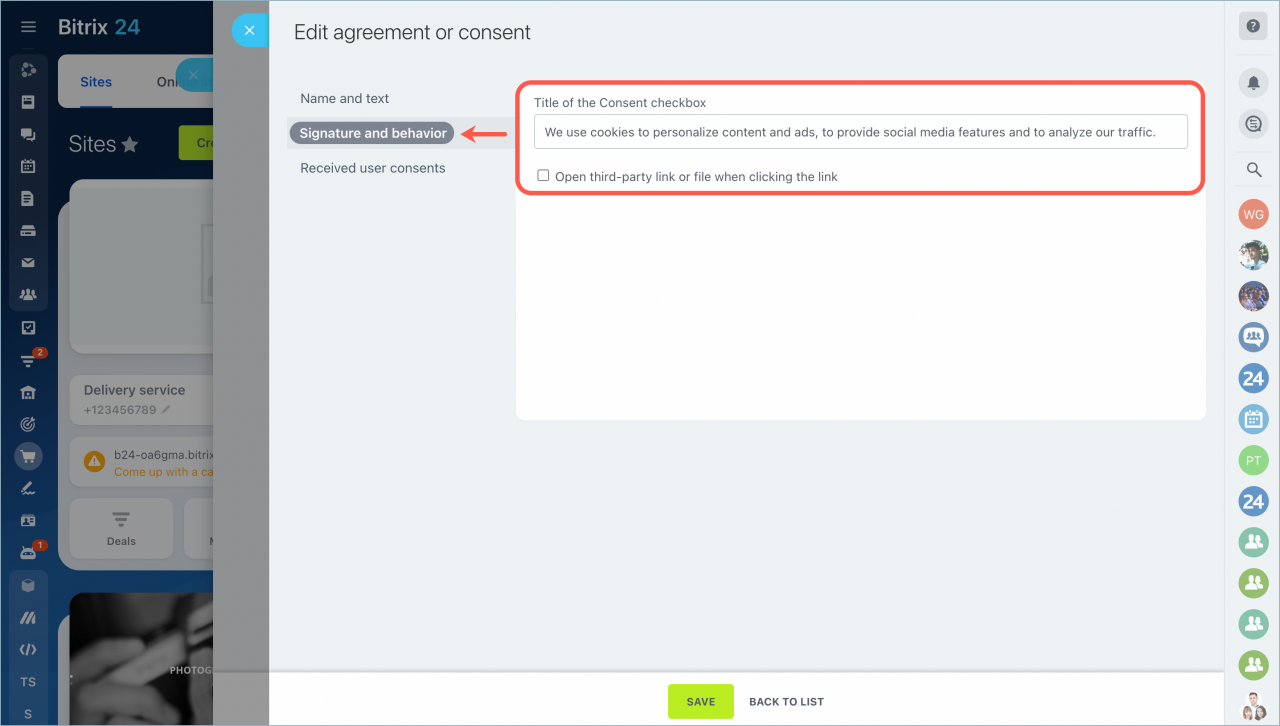
You can also add a link to a third-party page or file by enabling the corresponding option.
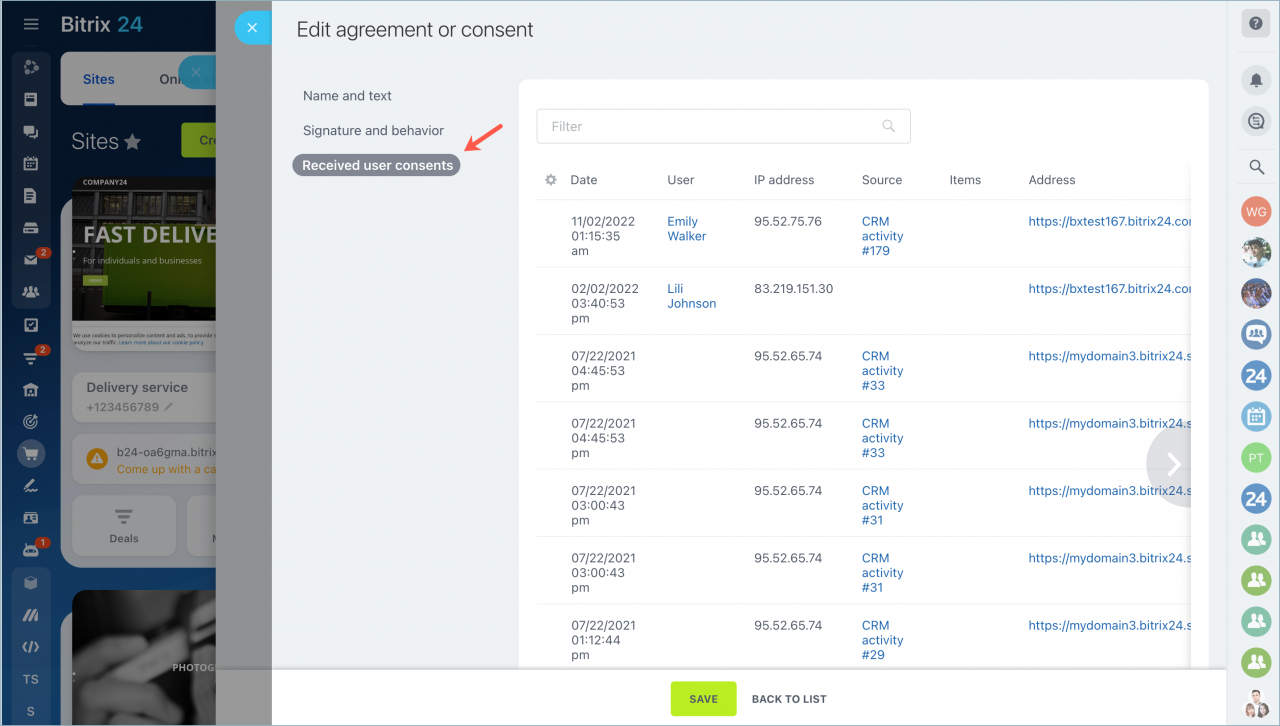
User consents
Use the filter to see all collected user consents. To access this section, click Edit settings > User consents.
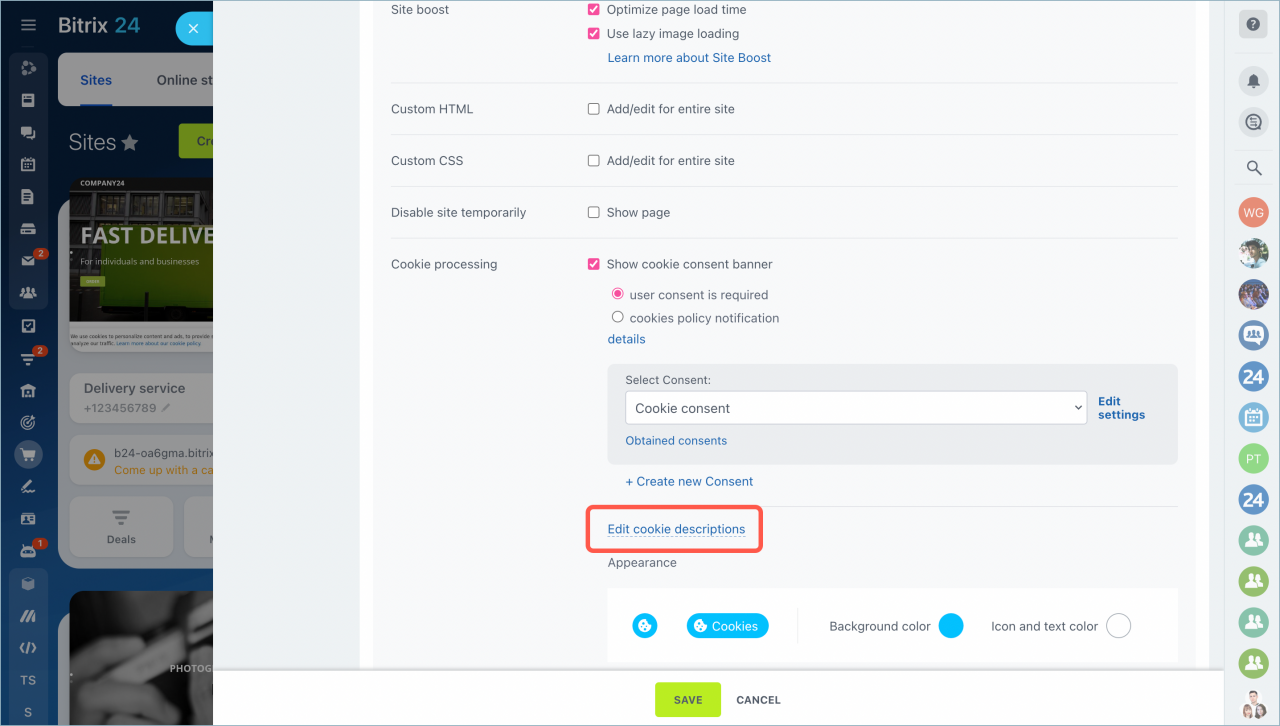
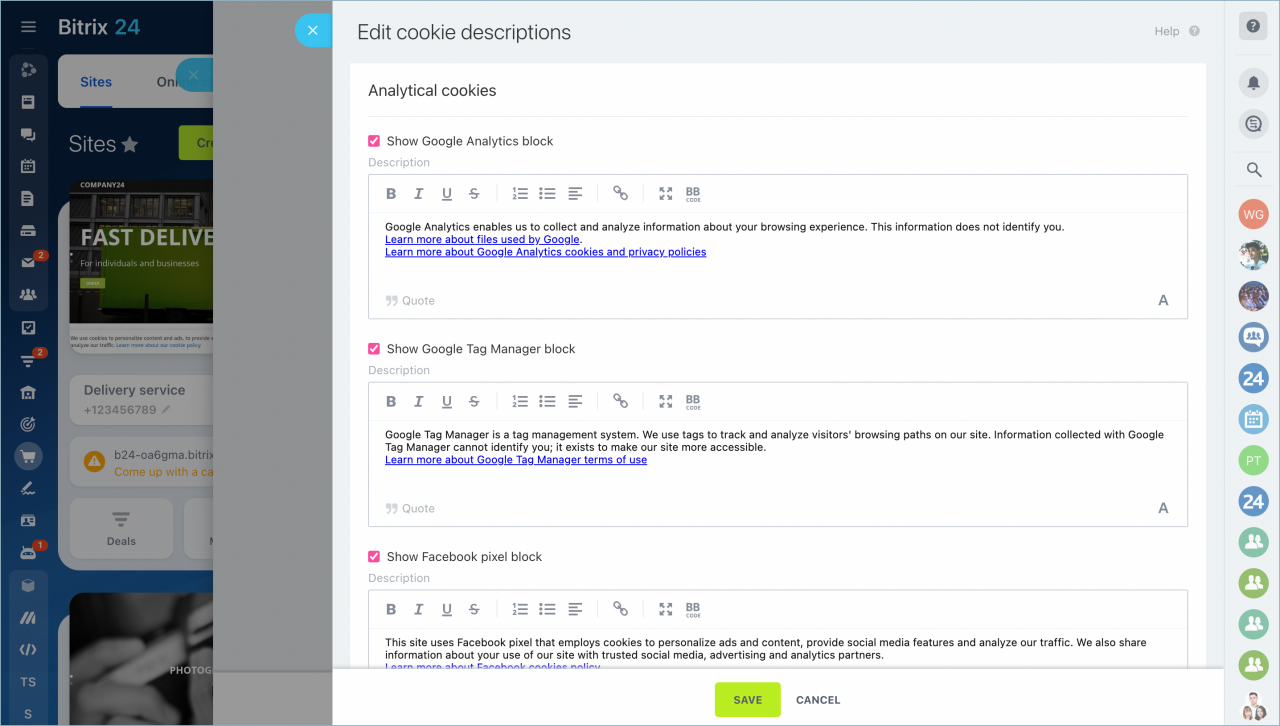
Edit cookie descriptions
Click Edit cookie descriptions to manage cookie details.
Bitrix24 includes predefined descriptions for common services such as:
- Google Analytics
- Google Tag Manager
- Facebook Pixel
- YouTube
- Google Maps
You can edit or disable these descriptions if you don’t use these services.
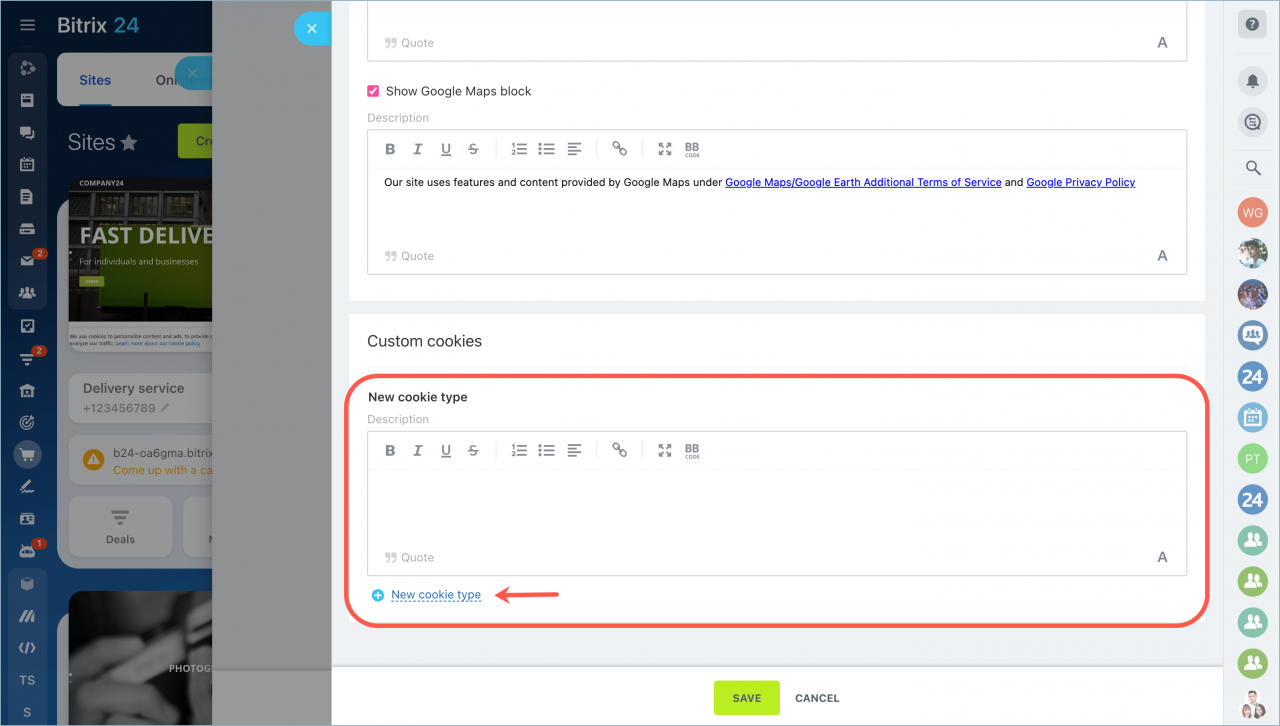
If your website uses other services that collect cookies, add them manually:
- Click New cookie type.
- Enter the description.
Link position and appearance
You can change:
- Background color
- Icon color
- Text color
- Position of the cookie icon on the screen